
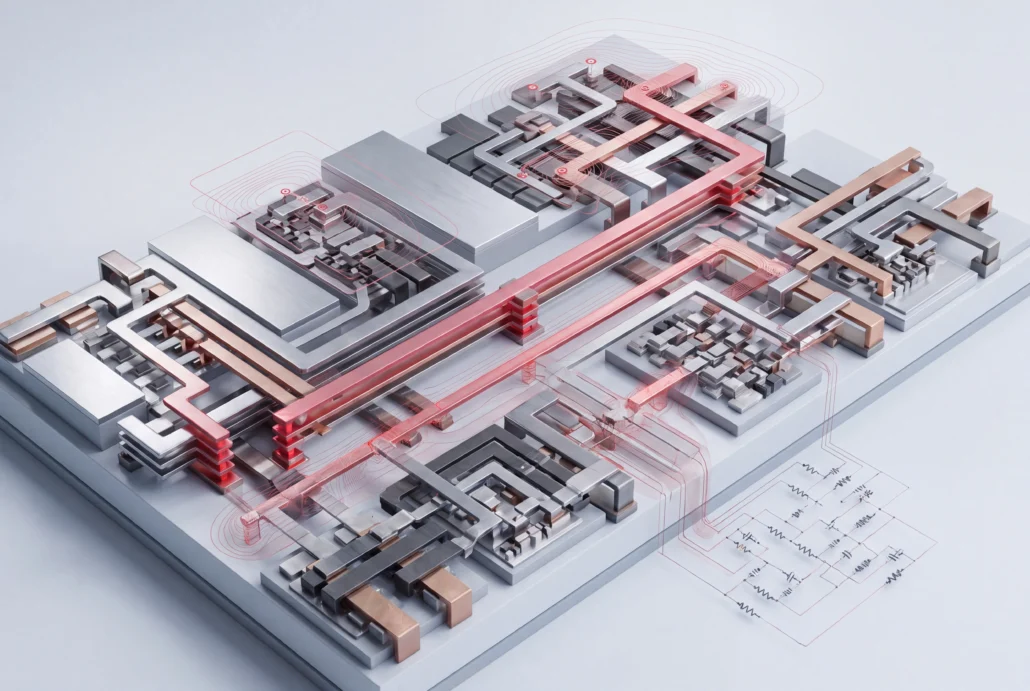
Hipex: full-chip rule-based RC parasitic extraction

Hipex runs parasitic extraction on the full chip or only the nets you pick, then writes the resistance and capacitance your layout adds back into the schematic netlist, ready for post-layout simulation.

What Hipex does

Parasitics found late are the hardest to trace back to the layout that caused them. Hipex finds them while you can still move the wire. It reads a hierarchical analog, mixed-signal, memory or SoC layout from GDSII, with its cell netlists and a rule-based technology file. Then it pulls out every parasitic resistor and capacitor and annotates them onto your schematic netlist. You run it from inside the Expert layout editor. Where equations alone aren’t precise enough, a field-solver mode takes over for that region.

Parasitic extraction capabilities

Extraction

Extract the whole chip, or name the nets, nodes or layers you care about and leave the rest untouched. Choose lumped RC, C only, R only, coupled C or fully distributed RC.

Rule-based equations give you 2D-extractor speed with capacitance close to 3D accuracy.

Devices

The netlist Hipex writes follows your layout’s own hierarchy. It recognizes MOSFET, MESFET, BJT, JFET, diode, capacitor and resistor devices, plus parameterized devices you define.

Devices drawn off the 45° and 90° grid, and resistors of any shape, extract correctly too.

Checking

Electrical rule checking runs in the same pass and flags shorts, opens and dangling nets.

Output

Your schematic netlist comes back with its original node names and the extracted resistors and capacitors attached. Write it as SPICE, DSPF or SPEF.
Or choose P2P, which gives a capacitance total for each net and point-to-point resistance along it.

Performance

A striping algorithm splits full-chip RC extraction across the processors of a multi-processor server. Memory use stays efficient on large designs.

Where Hipex sits in your flow

Takes in

A layout in GDSII, ELD or OpenAccess; the schematic or pre-extracted netlists; and an extraction rule file. Silvaco PDK rule files are built from the foundry’s own rule data where it exists. Where it doesn’t, Silvaco’s Exact tool generates one from process data such as layer thicknesses and material permittivity.

Expert: the layout editor Hipex runs inside, with extracted parasitics shown on the layout view

SmartDRC/LVS: tphysical verification in the same editor, so extraction starts from the layout you just checked

Hands off to

A parasitic netlist in SPICE, DSPF, SPEF or P2P format, ready for:

Jivaro Pro: to reduce the extracted network

Viso: to analyze and debug it

PEX Certify: to check it against a second extraction

SmartSpice: for post-layout simulation

Applications

The nine design types the product page names.

Analog and mixed-signal

Post-layout netlists that keep the design's hierarchy, RF blocks included

Memory IC

The critical-path nets of a large memory, extracted without running the whole array

SoC designs

The full chip when you need it, the critical paths alone when you don't

Critical net analysis during layout

A net's parasitics checked in Expert while you're still drawing it, with the values on the layout view

Datasheet, application notes and worked examples

Product brief · PDF

Hipex full-chip parasitic extraction

Device, capacitance and resistance extraction, network reduction, inputs and outputs, and the Expert integration.

Application note · PDF

Hipex RC: Accuracy Improvement in Parasitic Capacitance Extraction

Building a better capacitance rule file, with Exact, and confirming the gain on your layout.

Application note · PDF

Hipex RC: 7 Techniques for Reducing a RC Netlist

For RC netlists too large to simulate: merge series resistances, fold small coupling capacitances into ground, and five more methods.

Application note · PDF

Parasitic Back Annotation for Post Layout Simulation

The steps from a clean LVS to a schematic netlist carrying your layout's parasitics.

Application note · PDF

Hipex RC: Virtual Connect Names for Unfinished Nets

When an unfinished net splits into VCC:95, VCC:96 and onward, how to join it back into one net.

Application note · PDF

Expert layout editor

The Expert deck. Its Hipex slides cover technology files from Exact and back-annotation to DSPF or SPEF.

Try it on a layout of yours

Bring a layout that’s already clean through LVS and tell us the process you design in. Our technical
experts will take you through what Hipex extracts from it, and the netlist it hands to simulation.

Questions about InVar

What is parasitic extraction?

Parasitic extraction calculates the resistance and capacitance that wires, contacts and devices add once a circuit exists as a layout, and writes those values into a netlist. Post-layout simulation then uses that netlist to show how the manufactured chip will really behave. Hipex does this for hierarchical analog, mixed-signal, memory and SoC layouts.

Rule-based extraction computes parasitics from equations in a technology file, which is quick enough for a whole chip. A field solver calculates the electric field itself: slower, but more precise around complex geometry. Hipex offers both. Hipex-RC covers full-chip runs, and Hipex-FS handles dense contacts, multi-layer buses and other geometry where rules lose precision.

Yes. Give Hipex a list of critical nets and it extracts those alone. For an SoC or a large memory, that's the fast way to check the paths that set timing before you commit to a full-chip run. You can narrow by layer or by node instead, if that suits the problem better.

P2P stands for point-to-point. For every net it reports total capacitance and the resistance between any two points. That lets you check a net's load and resistive path directly. Hipex writes P2P alongside its SPICE, DSPF and SPEF netlists, so you don't have to simulate the full extracted circuit first.

Yes. Hipex checks connectivity while it extracts devices, and reports shorts, opens and dangling nets before anything reaches simulation. That means a broken net shows up as an extraction error you can find on the layout, not as a strange waveform you have to trace backwards.

Choose by where your data starts. If it starts as a layout in Expert, use Hipex. Victory RCx Pro is the TCAD-side tool, built for cell-level work on any 3D structure. Hipex-FS and Victory RCx Pro share the same physics and solvers, so switching between them doesn't mean switching field-solver engines.

Related products

Jivaro Pro

Keeps post-layout SPICE runs fast by shrinking the parasitic network

Viso

Parasitic analysis and debugging on the netlist Hipex writes

PEX Certify

Qualifies an extraction flow before you depend on it

Analog and Custom IC

Schematic to signoff, all nine products in the family