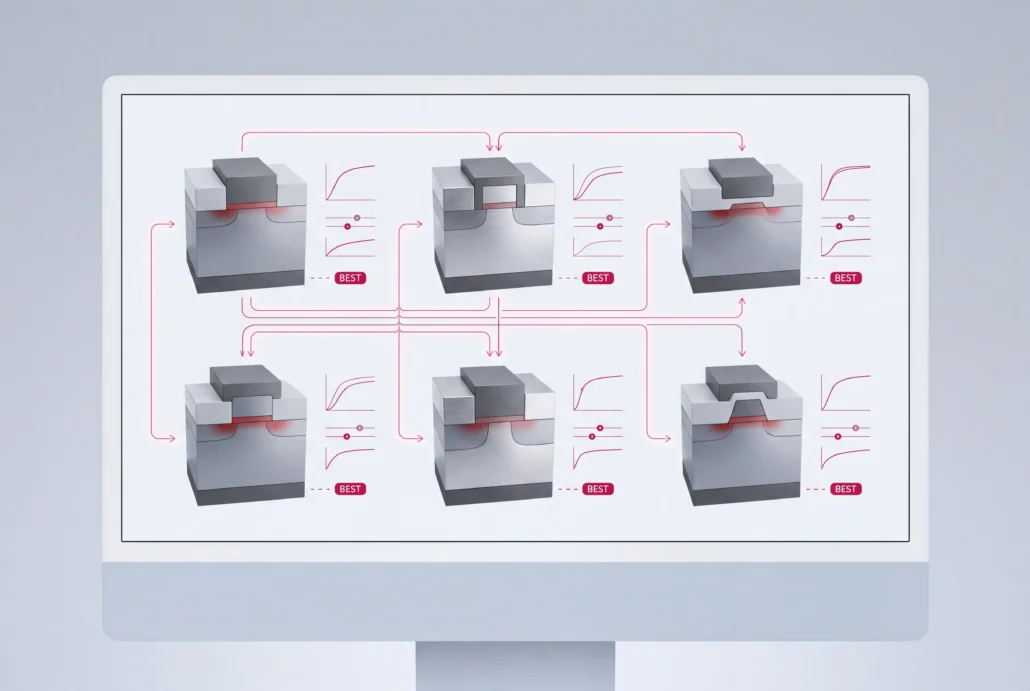
Victory DoE: design of experiments for TCAD simulation

Run your splits as TCAD simulations instead of wafer lots, and cover more of the process and device space than a wafer budget allows.

What Victory DoE does

Victory DoE is the design-of-experiments tool in Silvaco’s TCAD flow. It turns your experiment plan into a table of TCAD runs and collects every output in a single results table. Any value your golden deck assigns with a set command can become an input. A question that used to cost a wafer split turns into a batch of simulation runs, on physics your team already trusts.

Victory DoE capabilities

Project management

Projects sit in a GUI workspace laid out like a directory tree, with copy, paste, archive, clean and lock built in. Search or sort them by name, time, flag, comment or file size. Keep several open at once, and share a workspace when two engineers work one study.


DoE Builder

Choose a factorial, response-surface or space-filling design, or let Smart DoE build a D-optimal one for you. Augment a design you’ve already run, and add constraints where part of the space is off-limits. Before any compute is spent, visualize the table, then check it with a Fraction of Design Space plot and a power analysis. Both tell you whether the plan can answer your question.

Results

Every extract command in your golden deck becomes a column automatically. One table per project holds each output beside the inputs that produced it. It’s saved as CSV, so Excel and other analysis tools read it without conversion.

Visualisation

Plots open in Victory Visual, and all of a project’s visual files are kept together. Overlay several conditions on one set of axes. That’s where the splits pull apart.

Execution

Experiments run in the DeckBuild environment. You watch each structure form in real time, so a bad condition shows itself before the run ends. Distributed runs go through IBM’s LSF (Load Sharing Facility).

How it fits your TCAD flow

Takes in

Your existing DeckBuild deck, unchanged, with its Victory Process and Victory Device steps.

Hands off to

Victory Analytics, for fitting and modeling. Victory Visual for plots and overlays. FTCO, where the result set trains nonlinear models.

What engineers use it for

Multi-variable TCAD experiments

Vary process and device parameters together and catch interactions that single-parameter sweeps miss.

Distributed simulation campaigns

Spread a full experiment set across your LSF cluster instead of queuing runs.

Collaborative projects

Keep the study in a shared workspace, so a colleague can rerun or extend it.

Reading and recordings

Victory DoE – Design of Experiments

Product brief (PDF). The workspace, DoE Builder, result views and version control in four pages you can forward to your team.

Applying Artificial Intelligence in Fab Technology Co-Optimization (FTCO™)

Webinar. How process teams move DoE from fabricated wafers to a physics-based digital twin.

SURGE 2025: How to Utilize Victory Analytics and Machine Learning to Calibrate TCAD Data

Conference talk. Calibrating TCAD data with machine learning in Victory Analytics, the step that follows the experiment.

Try it on your own deck

Bring a study you’d otherwise answer with wafer splits, along with the deck and the
cluster you’d run it on. There’s no self-serve download. You evaluate Victory DoE
on your own deck, with an application engineer working alongside you.

Questions about Victory DoE

What does Victory DoE do?

Victory DoE runs design-of-experiments studies on TCAD simulations. You choose variables from your DeckBuild golden deck, and the outputs of every condition come back in one table, matched to their inputs. Multi-variable process and device questions get worked through without spending a wafer lot on each split.

DoE Builder offers full factorial (two- and three-level), one-factor-at-a-time, Box-Behnken, circumscribed and face-centered central composite, Latin hypercube, linear and Gaussian random, sensitivity, and stepped sequential or distributed designs. Smart DoE adds computer-generated D-optimal designs. You can augment any design with extra runs or constrain it to the feasible part of the space.

It's built around it. The deck Victory DoE runs is a DeckBuild deck, so you keep your current editing and debugging workflow and rewrite nothing. DeckBuild, Victory Visual and Victory DoE all belong to Victory TCAD Lab, the pre- and post-processing suite for Silvaco TCAD.

Yes. Victory DoE supports IBM's LSF (Load Sharing Facility), which dispatches an experiment's runs to your compute nodes in parallel. If your site uses a different job scheduler, raise it with an FTCO expert before you plan the full simulation campaign.

Directly. Victory DoE passes its results and data to Victory Analytics, where you fit models and decide which runs come next, and inside FTCO that loop trains a nonlinear model. The results table is also a plain CSV file that other tools can open.

It shows how well your experiment will predict across the design space. The curve plots the share of the space falling below each prediction-variance level, and you read it before running anything. A low, flat curve means prediction quality holds everywhere, while a sharp climb means some regions, often the corners, are poorly covered.

The rest of the TCAD suite

FTCO

Calibration, optimization and surrogate models built on your TCAD data.

Victory Analytics

Machine-learning analysis and modeling for the data your experiments produce.

Victory Visual

Interactive 3D views, cut-planes and probes for every TCAD result.

TCAD

Victory Process, Victory Device and the rest of Silvaco's process and device simulation.