

Minimum Required Version: Guardian LVS 4.8.36.R
Guardian LVS can compare any parameter names of subcircuit-devices using a LISA script. This example shows how to match some parameters of subcircuit-devices using a LISA script.
Two procedures are used in LISA to customize parameter values for comparison.
GetParameterValues: The procedure returns the sequence of parameter values of the subcircuit-devices merged in parallel.
SetParameterValue: The procedure sets the calculated value for the specified parameter.
See lvs_ex08.lisa. In the LISA script, two procedures are defined for subcircuit-devices PCH and NCH , respectively.
To run Guardian LVS with calculation of subcircuit-device parameters:
1) Start Guardian LVS .
2) Load lvs_ex08.gpr in the Project Settings dialog ( Setup->Project Settings ).
After loading the lvs_ex08.gpr file, use the following settings:
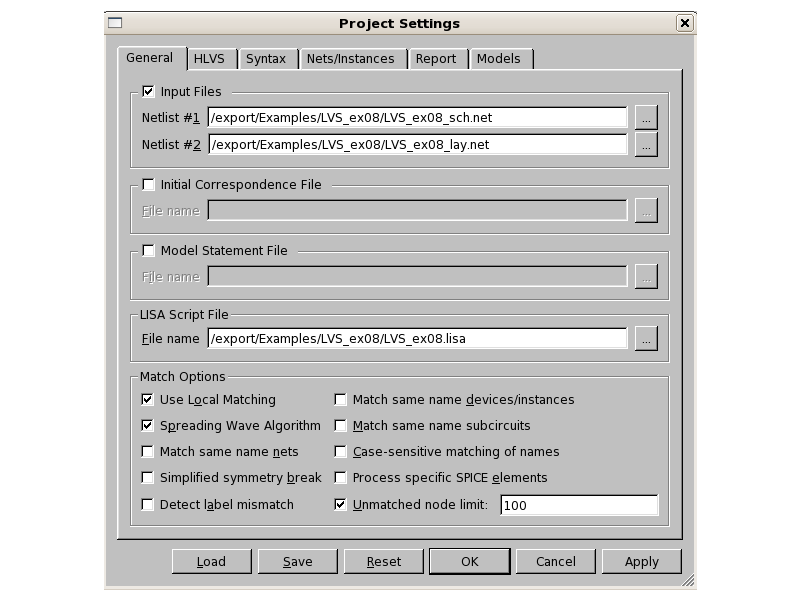
Nelist #1 : lvs_ex08_sch.net
Nelist #2 : lvs_ex08_lay.net
LISA Script File : lvs_ex08.lisa
See lvs_ex08_set.png
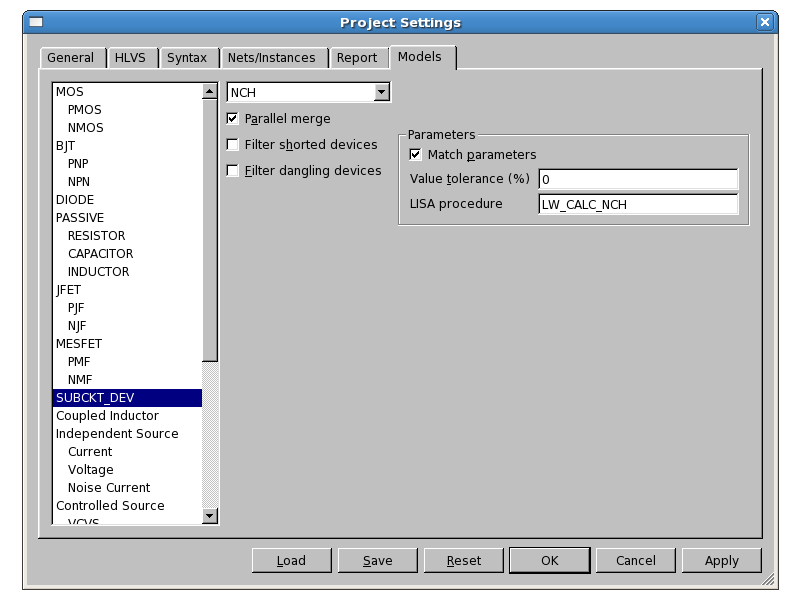
. In addition, to allow a valid LISA procedure for subcircuit-device, complete the following steps: On the Models tab, set Parallel merge , Match parameters options and LISA procedure LW_CALC_PCH at SUBCKT_DEV PCH. See lvs_ex08_pch.png
. Set Parallel merge , Match parameters options and LISA procedure LW_CALC_NCH at SUBCKT_DEV NCH. See lvs_ex08_nch.png
.
3) Run LVS ( Action->Run LVS ).
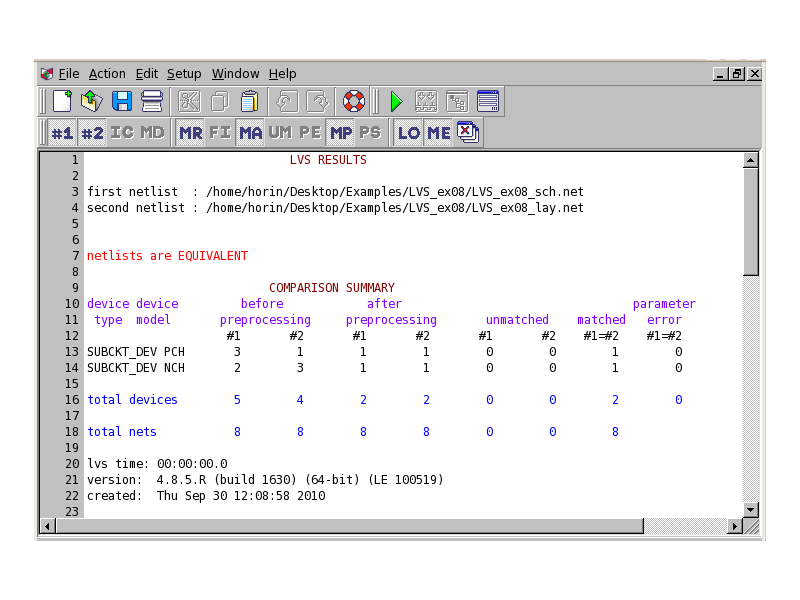
The LVS will fully match. See lvs_ex08_log.png
. The Parameter Matches report file lvs_ex08_sch.pma shows calculated parameter values according to the LISA script after the parallel merge.
Graphics

Input Files
lvs_ex08_sch.net
*.SUBCKT_DEV PCH M 4 (1,3)
*.SUBCKT_DEV NCH M 4 (1,3)
X0 n1 IN n2 VDD PCH L=3u W=2u A=3 B=20
X1 n1 IN n2 VDD PCH L=3u W=2u A=6 B=50
X2 n1 IN n2 VDD PCH L=3u W=2u A=3 B=80
X3 net1 IN2 net2 GND AAA
X4 net1 IN2 net2 GND AAA

.SUBCKT AAA d g s b
X0 d g s b NCH L=4u W=10.5u A=3 B=30
.ENDS

.END
lvs_ex08_lay.net
X0 n1 IN n2 VDD PCH L=3u W=6u A=6 B=30
X1 net1 IN2 net2 GND NCH L=4u W=6u A=3 B=60
X2 net1 IN2 net2 GND NCH L=4u W=7u A=3 B=90
X3 net1 IN2 net2 GND NCH L=4u W=8u A=3 B=60
.END
lvs_ex08.lisa
DEFINE PROCEDURE /REPLACE LW_CALC_PCH
DO
BEGIN
	L = GetParameterValues("L");
	W = GetParameterValues("W");
	A = GetParameterValues("A");
	N = L.SIZE;
	I = 0;
	P = 0.0;
	Q = 0.0;
	MAXA = 0.0;
	LOOP
	BEGIN
		I = I + 1;
		P = P + L[I] * W[I];
		Q = Q + W[I] / L[I];
		IF (A[I] GTR MAXA) THEN (MAXA = A[I]);
		IF (I EQL N) THEN (LEAVE LOOP);
	END;
	LRES = SQRT(P / Q);
	WRES = SQRT(P * Q);
	SetParameterValue("L", LRES);
	SetParameterValue("W", WRES);
	SetParameterValue("A", MAXA);
END;

DEFINE PROCEDURE /REPLACE LW_CALC_NCH
DO
BEGIN
	L = GetParameterValues("L");
	W = GetParameterValues("W");
	B = GetParameterValues("B");
	N = L.SIZE;
	I = 0;
	P = 0.0;
	Q = 0.0;
	BVAL = 0.0;
	LOOP
	BEGIN
		I = I + 1;
		P = P + L[I] * W[I];
		Q = Q + W[I] / L[I];
		BVAL = BVAL + SIN(B[I]) * COS(B[I]);
		IF (I EQL N) THEN (LEAVE LOOP);
	END;
	LRES = SQRT(P / Q);
	WRES = SQRT(P * Q);
	SetParameterValue("B", BVAL);
	SetParameterValue("L", LRES);
	SetParameterValue("W", WRES)
END;
lvs_ex08_sch.pma
PARAMETER MATCHES

L1: X:(@)top:X3:X0  . . . . . . . . . . = ($)  top:X3
         B=0.866025                            B=0.866025
         L=4E-06                               L=4E-06
         W=2.1E-05                             W=2.1E-05

L0: X:($)top:X2 . . . . . . . . . . . . =      top:X0
         A=6                                   A=6
         L=3E-06                               L=3E-06
         W=6E-06                               W=6E-06


(@) - indicates device instances formed by device reduction, see merge file
($) - indicates device instances formed by device merging, see merge file