

Minimum Required Version
: Expert 4.14.0.R, Guardian 4.14.0.R
This example demonstrates how to build connectivity information.
For building connectivity,
Guardian DRC
requires two statements:
-
CONNECT_ORDER:
This statement defines layer connectivity sequence from bottom to top.
-
CONNECT:
This statement connects two layers with/without contact layer.
This operation is used in various situations to enable advanced DRC verification
dependant on node potentials.
This example drc file can detect
“N-ACT” Space errors according to two rules, one is for different nodes, another is for same nodes using the following descriptions.
   // Define the Connect_Order statement
   Connect_Order: NSD, PSD, POLY, METAL1;
   //Define the Connect statement between METAL1 and N-ACT("NSD")
   CONNECT: Layer1=METAL1, Layer2=NSD,       LayerC=CONTACT;
   // Check N-ACT Space < 2 for different nodes
   // Options=(C) checks only for pairs of segments
   //      that belong to different nodes.
   OutDistance: Options=(R,C), Layer=NSD, LayerR=N-ACT_D_diff, Limits < 2,
                ID = "N-ACT Space error: @Difference node < 2";
   // Check N-ACT Space < 1 for different nodes
   // Options=(C') checks only for pairs of segments
   //      that belong to the same node.
   OutDistance: Options=(R,C'), Layer=NSD, LayerR=N-ACT_D_same, Limits < 1,
                ID = "N-ACT same nodes Space error: @Same node < 1";
Please refer to
build_connectivity.dsf for details.
To run the example:
1) Start
Guardian DRC
or
Expert.
2) Load
“build_connectivity.eld”
and open the
“build_connectivity” cell
(File->Open).
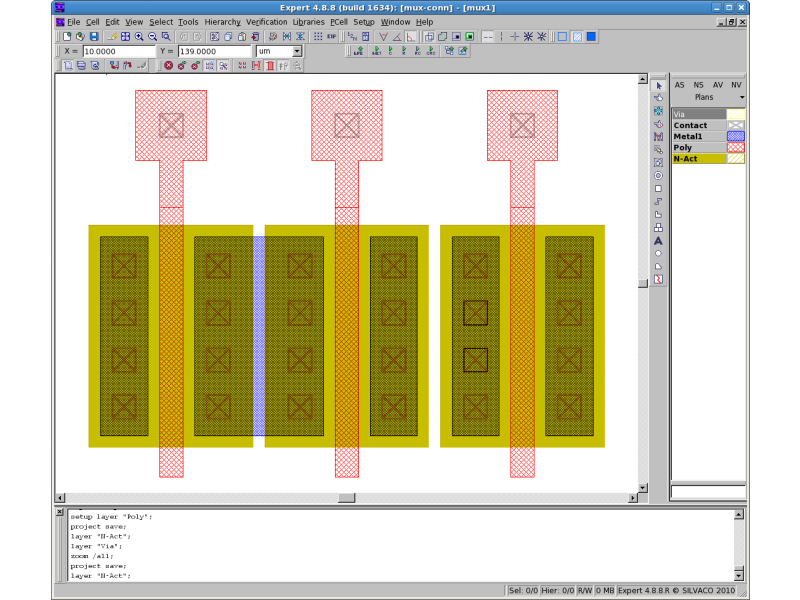
See
build_connectivity_lay.png
3) Load
build_connectivity.dsf script from the Script panel
(Verification->DRC->DRC Script Panel).
4) Run DRC
(DRC->Run).
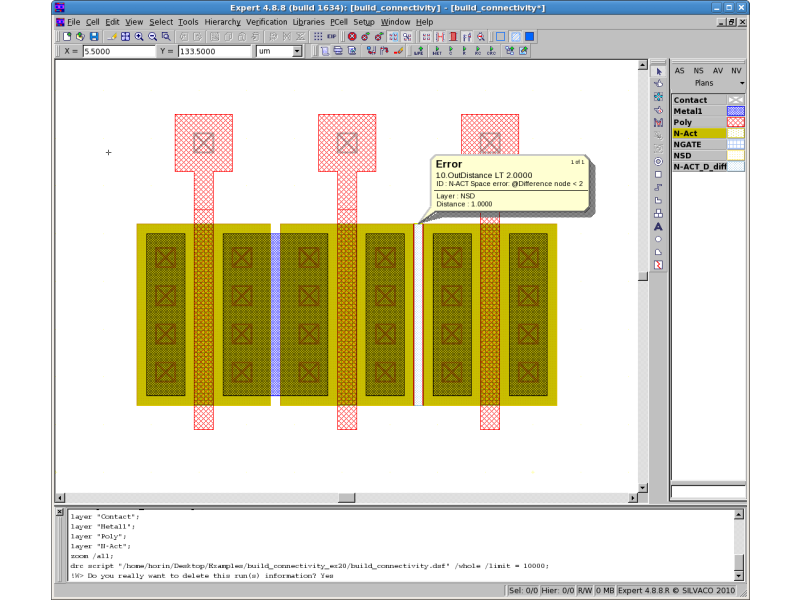
5) View DRC errors
(select DRC->Errors->Load Errors and click “Load” in the Load DRC Errors dialog).
See
build_connectivity_error.png
As a result,
Guardian DRC
detects only an “N-ACT” space error for different nodes, because another
“N-ACT” space is connected between the “N-ACT” layer by “METAL1”
To learn more about Guardian DRC commands and their syntax, see the Guardian DRC user manual “guardian_users1.pdf” located in lib/expert/4.14.0.R/docs/ in your installation area.
Output Results
Input Files
build_connectivity.dsf
/* *********************************************************** */
/*                         DRC Script                          */
/* *********************************************************** */


LAYERS:
      NWELL      (1),
      POLY       (5),
      METAL1     (9),
      CONTACT    (8),
      WELLCON    (23),
      N-ACT      (21),
      P-ACT      (22);


Connect_Order: NSD, PSD, POLY, METAL1;

 attach_labels: layer = METAL1, layerC = METAL1;
 And: Layer1=POLY, Layer2=N-ACT, LayerR=NGATE;
 Dif: Layer1=N-ACT, Layer2=NGATE, LayerR=NSD;
 And: Layer1=POLY, Layer2=P-ACT, LayerR=PGATE;
 Dif: Layer1=P-ACT, Layer2=PGATE, LayerR=PSD;
 CONNECT: Layer1=METAL1, Layer2=POLY,  LayerC=CONTACT;
 CONNECT: Layer1=METAL1, Layer2=NSD,       LayerC=CONTACT;
 CONNECT: Layer1=METAL1, Layer2=PSD,       LayerC=CONTACT;

OutDistance: Options=(R,C), Layer=NSD, LayerR=N-ACT_D_diff, Limits < 2,
 ID = "N-ACT Space error: @Difference node < 2";
OutDistance: Options=(R,C'), Layer=NSD, LayerR=N-ACT_D_same, Limits < 1,
 ID = "N-ACT Space error: @Same node < 1";