

Minimum Required Version
: Expert 4.14.0.R, Guardian 4.14.0.R
This example will demonstrate how the Guardian DRC tool can be used to measure the OvDistance (overlapping distance) of layout objects.
1. Preliminary steps
To run this example, open a Guardian DRC session and choose
File->Open
to load the project
“drc_ex10.eld”
. Then open the top cell
drc_ex10
using the
Cell->Open…
menu.
2. OvDistance command for error detection
Some DRC rules require an overlap measurement of two different layers. For example, for a given device it may be necessary
to have the NWELL layer going under the gate area by a minimum of 30nm. This type of rule can be implement using the
OvDistance
command.
OvDistance
is used to measure the admissible distance between the inner surfaces of sides of regions from the first input layer,
and the inner surfaces of sides of regions from the second input layer.
The syntax for this rule is:
   OvDistance: Layer1= < input layer identifier1 >,
               Layer2= < input layer identifier2 >,
               Value= < value >, Type= < check type >,
               LayerR1= < result layer identifier1 >,
               LayerR2= < result layer identifier2 >,
               Options = (list of check options),
               ID = < error identifier >;
in which:
-
Layer1
is the first layer name being measured -
Layer2
is the second layer name being measured -
Value
is the value in um of the measurement -
Type
can be greater than, less than, (>, <, ==, !=, …) -
LayerR1
is the layer name in which the geometries of layer1 in violation of the rule would be saved -
LayerR2
is the layer name in which the geometries of layer2 in violation of the rule would be saved -
Options
is the list of additional option to the check -
ID
is the error message that would be display and listed in the log when the error occur
Figure 1
illustrates the syntax that can be used to implement such a task.
A detailed description of all options that can be used for the different rules can be found in the
Guardian DRC user manual
section
2.3.9.1: Common Syntax: Parameters and Options.
Section 2.3.9.7 describes the OvDistance command. The user manual
“guardian_users1.pdf”
can be found in
lib/expert/4.14.0.R/docs/
in your installation area.
It is to be noted that some options are not allowed for certain DRC checks. For the “OvDistance” operation, the options: D, U, IS, N, N’ (
Acute adjacency, Obtuse adjacency, Self intersecting, Notch,
and
Notch Only
) are not allowed.
3. Experimenting with the OvDistance command
Once all the example files have been downloaded and the preliminary steps described in 1.0 are completed,
complete the following steps:
- Choose
Verification->DRC->DRC Script panel
. In this new window, choose
File->Open…
and select
“drc_ovdistance_01.dsf”.
- Press
DRC->Run
- To inspect the errors, choose
Verification->DRC->Errors->Load errors…
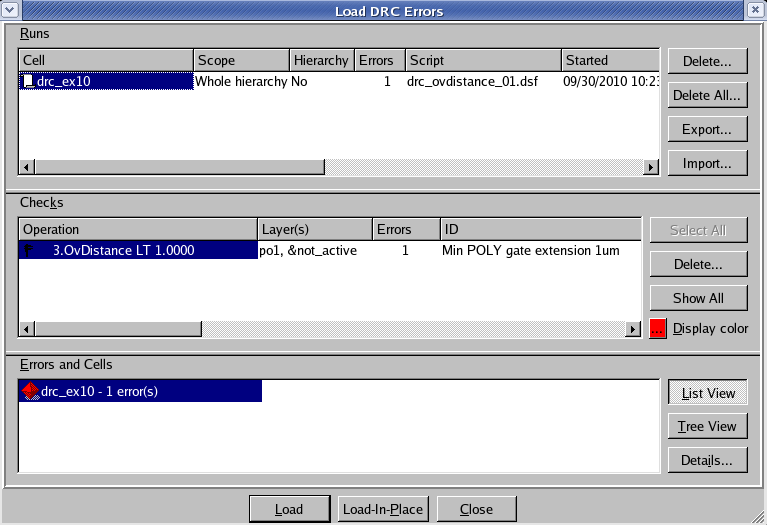
you should get a window as shown in
Figure 2. - Select the check and press the
Load
button located at the bottom of the window. Then choose
Verification->DRC->Errors->First error
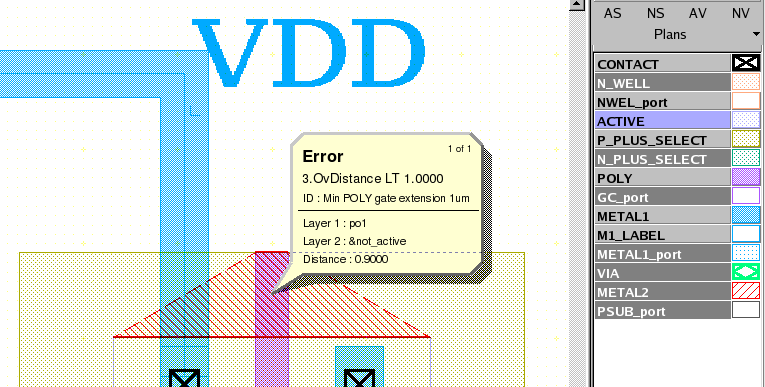
to display the error in the layout, as shown in
Figure 3
. - To unload the error choose
Verification->DRC->Errors->Unload errors
.
Note these two
toolbars
can be used to access the DRC menu command. To turn the visibility of the toolbar ON and OFF, choose
View->Toolbars
and select
DRC
and
DRC error inspection.
Guardian DRC can also be launched from within the layout editor tool Expert. Within an Expert
session follow the steps described in 1.0 to open the eld file. Then choose
Verification->DRC->DRC Script panel.
In this new window, choose
File->Open…
and select desired DRC script. The rest of the steps are identical to the Guardian DRC flow.
Output Results

Input Files
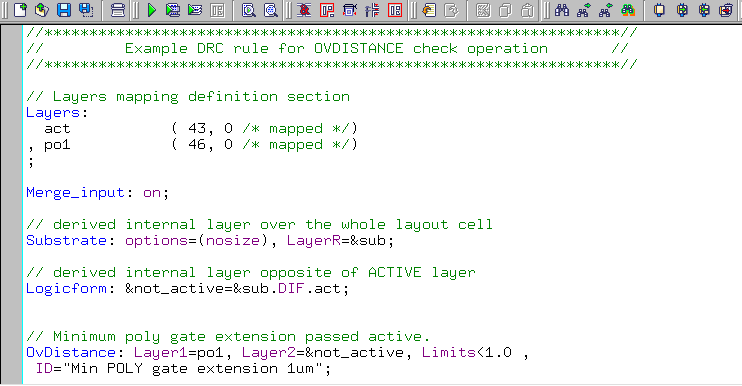
drc_ovdistance_01.dsf
//****************************************************************//
// Example DRC rule for OVDISTANCE check operation //
//****************************************************************//
// Layers mapping definition section
Layers:
act ( 43, 0 /* mapped */)
, po1 ( 46, 0 /* mapped */)
;
Merge_input: on;
// derived internal layer over the whole layout cell
Substrate: options=(nosize), LayerR=⊂
// derived internal layer opposite of ACTIVE layer
Logicform: ¬_active=&sub.DIF.act;
// Minimum poly gate extension passed active.
OvDistance: Layer1=po1, Layer2=¬_active, Limits<1.0 ,
ID="Min POLY gate extension 1um";
// END of DRC check