

Minimum Required Version
: Expert 4.14.0.R, Guardian 4.14.0.R
This example will demonstrate how a Boolean AND function can be used in Guardian DRC to detect Design Rule Check (DRC)
errors or to derive some additional layers from the current drawing layers in the layout using Expert.
1. Preliminary steps
To run this example, open a Guardian DRC session and choose
File->Open
to load the project
“drc_and_ex01.eld”
. Open the top cell
SWG_DRC
using the
Cell->Open…
menu.
2. Boolean AND for error detection
In most Design Rule Check foundry files, there is a certain combination of drawing layers that are not allowed to overlap.
In such a case, a DRC error needs to be flagged and reported to the designer. For example, certain processes do not allow
contacts and vias to be stacked. A rule would therefore have to be written to detect each contact/via that is overlapping.
A simple
AND
function of the two layers performed in a DRC deck would detect such errors.
Guardian DRC
offers two different syntax options to complete this task.
Figure 1
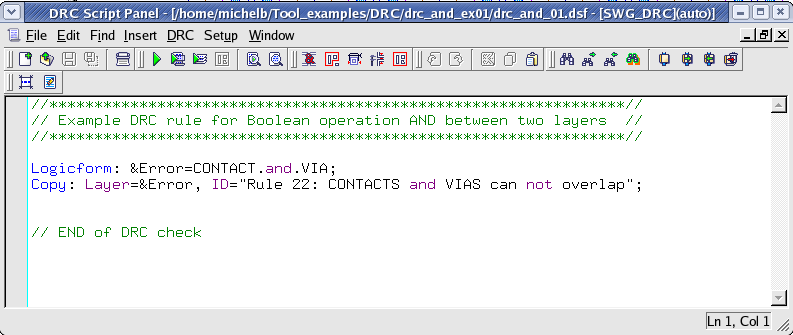
, illustrates the first syntax,
and
Figure 2
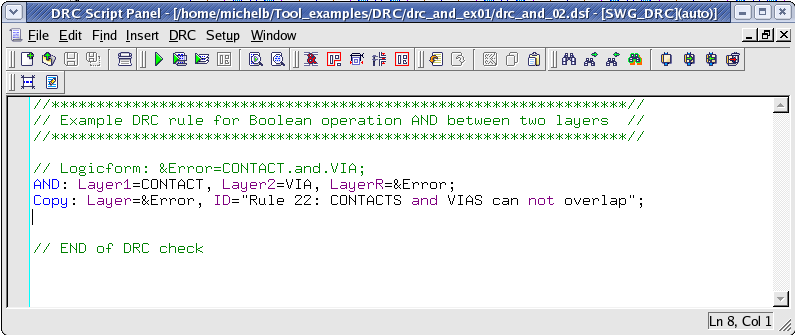
, shows an alternative syntax.
The first syntax has a certain advantage over the second one, as it allows the use of parenthesis for a combination of
multiple layers or functions.
A user could write:
             Logicform: &Error= (CONTACT.and.VIA).or.(VIA.and.VIA2);
            . . .
The same rule check in the second syntax would be written:
             AND: Layer1=CONTACT, Layer2=VIA,   LayerR=&tmp1;
             AND: Layer1=VIA,     Layer2=VIA2,  LayerR=&tmp2;
             OR : Layer1=&tmp1,   Layer2=&tmp2, LayerR=&Error;
            . . .
In
Figure 3
we illustrate the same rule as in
Figure 1
with the exception that here a layer mapping is being used.
Therefore, the layer name in the Guardian DRC rule deck does not have to match the layer name in the layout.
This would allow the rule deck to be run on a GDS file for which layer names are not provided.
3. Boolean AND for layer derivation
A simple AND function could also be useful in performing layer derivation, for example, assuming that an existing
layout needs to be ported to a new technology. However, the new technology requires a marking layer on the gate
of the MOS transistor. This marking layer was non-existent in the current layout. Using a logical AND as shown in
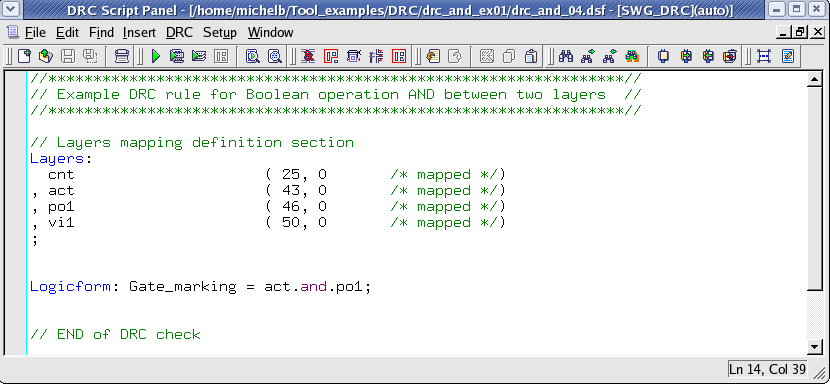
Figure 4
on all the layout database, a user could derive the new layer and save a considerable amount of time of layout editing.
4. Experimenting with Boolean AND function
Once all the example files have been downloaded and the preliminary steps described in 1.0 are completed, complete the following
steps:
- Choose
Verification->DRC->DRC Script panel
. In this new window, choose
File->Open…
and select
“drc_and_01.dsf”.
- In the same window, choose
Setup->Current DRC script run preferences…
and set the options as shown in
Figure5
. - Accept the changes and press
DRC->Run
- To inspect the errors, choose
Verification->DRC->Errors->Load errors…
and press the
Load
button located at the bottom of the window. Then choose
Verification->DRC->Errors->First error
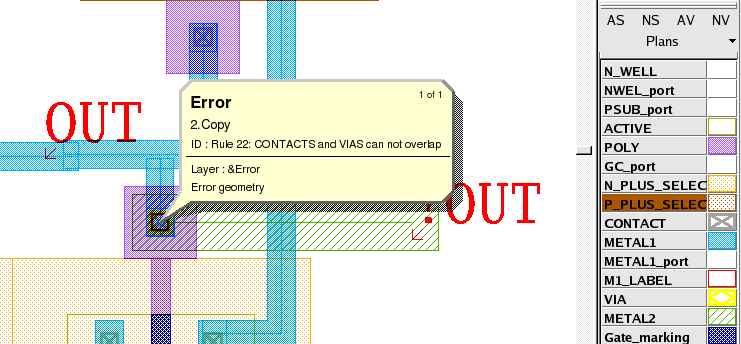
to display the error in the layout, as shown in
Figure 6
. - To unload the error choose
Verification->DRC->Errors->Unload errors
.
Note these two
toolbars
can be used to access the DRC menu command. To turn the visibility of the toolbar ON and OFF, choose
View->Toolbars
and select
DRC
and
DRC error inspection.
The scripts
“drc_and_02.dsf”
, and
“drc_and_03.dsf”
, can be run following the same steps described above.
After a few runs, the
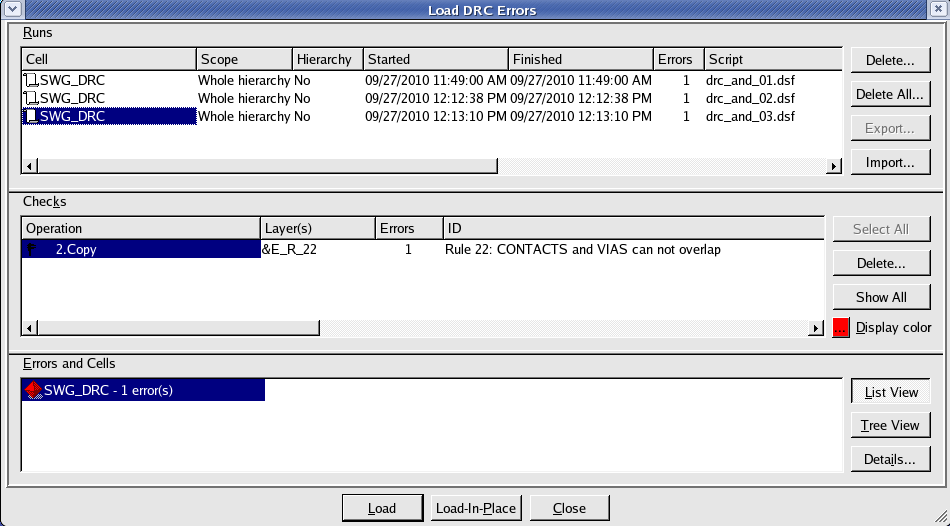
Load DRC Errors window
will display more than one DRC run in its log. The user can then compare results to a previous DRC run.
Guardian DRC
can also be launched from within the
Expert
layout editor. To run the fourth script
“drc_and_04.dsf”
, open an Expert session and follow the steps described in 1.0 to open the eld file.
Then choose
Verification->DRC->DRC Script panel
. In this new window, choose
File->Open…
and select
“drc_and_04.dsf”
. Press run. This should add a new layer to the layout named “Gate_marking”, which corresponds to the gate of the MOS device.
To learn more about Guardian DRC, the different commands and their syntax as well as the different setup options, see
the Guardian DRC user manual “guardian_users1.pdf” located in lib/expert/4.14.0.R/docs/ in your installation area.
Output Results



Input Files
drc_and_01.dsf
//****************************************************************//
// Example DRC rule for Boolean operation AND between two layers  //
//****************************************************************//

Logicform: &Error=CONTACT.and.VIA;
Copy: Layer=&Error, ID="Rule 22: CONTACTS and VIAS can not overlap";


// END of DRC check
drc_and_02.dsf
//****************************************************************//
// Example DRC rule for Boolean operation AND between two layers  //
//****************************************************************//

// Logicform: &Error=CONTACT.and.VIA;
AND: Layer1=CONTACT, Layer2=VIA, LayerR=&Error;
Copy: Layer=&Error, ID="Rule 22: CONTACTS and VIAS can not overlap";


// END of DRC check
drc_and_03.dsf
//****************************************************************//
// Example DRC rule for Boolean operation AND between two layers  //
//****************************************************************//

// Layers mapping definition section
Layers:
  cnt                     ( 25, 0	/* mapped */)
, vi1                     ( 50, 0 	/* mapped */)
;


Logicform: &E_R_22=cnt.and.vi1;
Copy: Layer=&E_R_22, ID="Rule 22: CONTACTS and VIAS can not overlap";


// END of DRC check
drc_and_04.dsf
//****************************************************************//
// Example DRC rule for Boolean operation AND between two layers  //
//****************************************************************//

// Layers mapping definition section
Layers:
  cnt                     ( 25, 0	/* mapped */)
, act                     ( 43, 0 	/* mapped */)
, po1                     ( 46, 0 	/* mapped */)
, vi1                     ( 50, 0 	/* mapped */)
;


Logicform: Gate_marking = act.and.po1;


// END of DRC check